For checking audio stages my favorite program is Visual Analyzer available at http://www.sillanumsoft.org/
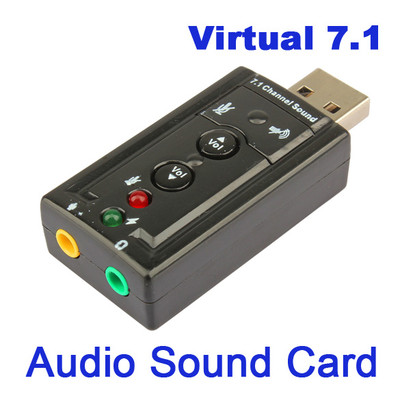 This is a PC based software that uses a sound card as the instrument. Not wanting to blow up the sound card in my PC if I do something stupid I use a really cheap USB sound card I got on eBay. This also has the advantage that I can connect it to the computer near my work bench with a USB extender cable, and only have the small unit on the work bench. I have also used the same card to build a digital mode interface. The one I usually use is this model and is available for less than $2.00 with shipping.
http://www.ebay.com/itm/New-Mini-USB-2-0-3D-Virtual-12Mbps-External-7-1-Channel-Audio-Sound-Card-Adapter-/161161417325?hash=item2585f8126d:g:2LMAAOSwl8NVVVbp
Visual Analyzer software is a utility package of audio related functions. It has an oscilloscope, AF Spectrum Analyzer, Signal Generator, Voltmeter, and several other functions I have not used.
With a little additional circuitry it can also be used as a ZRLC meter.
 I connected the output of the sound card through a 2.2uF capacitor to the top of the 10 K volume control and the input across a load resistor instead of a speaker.
Setting the sound card to output a 1 kHz sine wave, I adjusted the output level and gain pot to the point just below where I saw any clipping on the signal. Then I changed the signal to Pink noise and set the spectrum analyzer to average 100 traces. This makes a nice clean display of the frequency response of the amplifier. As shown in the response curve, it is fairly linear to about 12kHz. and then falls off sharply to its low level at around 14.5kHz.
 Still waiting for a couple of parts to arrive. One of them is the 100mH inductor in the output filter of the product detector. After these arrive I will do a plot of the complete Audio section.
Hey I like that. When I get moved I may have to try it out. Thanks
ReplyDeleteWB0NNO